FreshByte Write-Off Customer Overpayments Balances
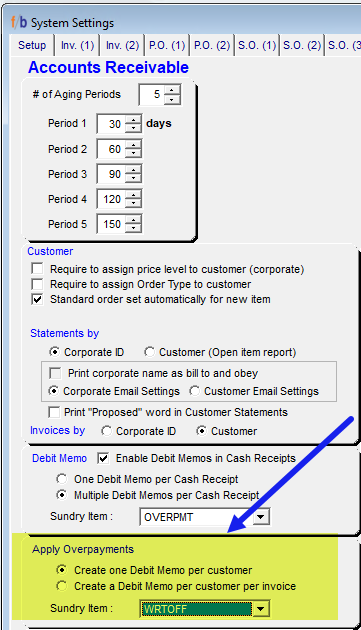
Note: A Sundry Item must be defined in System Settings to use the utility. In addition, the user has the option in System Settings to have one Debit Memo (Sundry Invoice) created for each overpayment or have one Debit Memo created for each customer.
System Settings -> AR Tab
Apply Overpayments
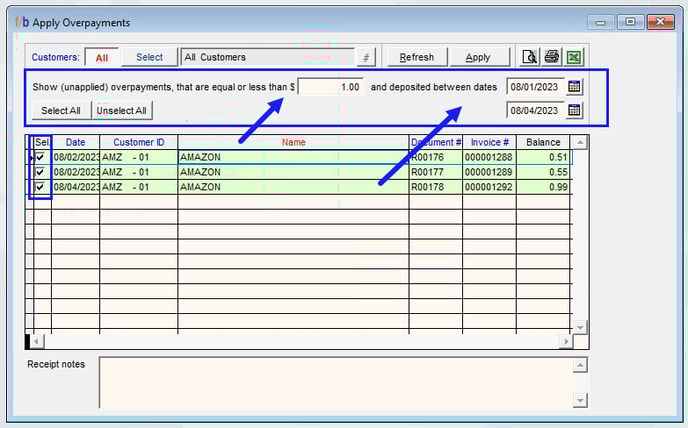
Customers -> Apply Overpayments
1. The user must select the Customer, Corporate, or Customer Group to analyze for adjustment.
2. The user must enter the dollar amount threshold to view for analysis.
3. The user must select the date range to analyze the overpayments.
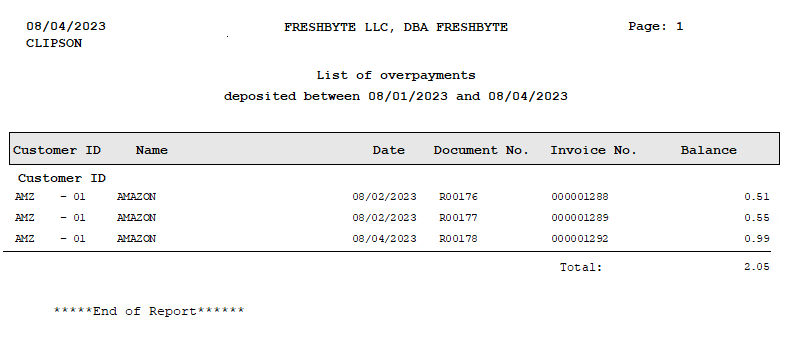
FreshByte recommends that the user Preview/Print/Export the report for record-keeping purposes.
The option to print, preview, or export to Excel is located at the top right of the screen.
Select 'Apply' to clear the overpayments from the system.
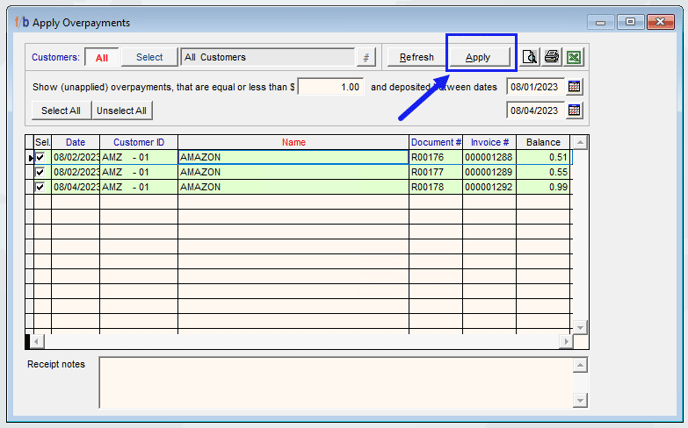
A message will display to indicate the number of Overpayments to be written off in the system.
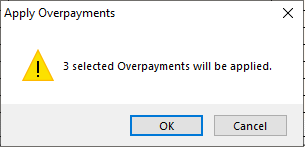
Select 'ok'
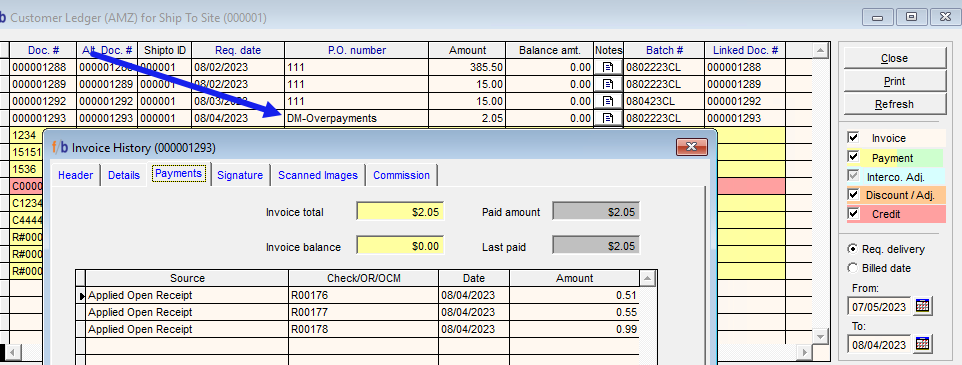
The overpayments are cleared from the customer's account and the debit memo displays on the ledger with a zero balance. The user can double-left-click on the debit memo line to display the details of the debit memo.
Related Articles
FreshByte AR Customer/Payment Refund Import
FreshByte provides a powerful feature that allows users to directly import customer payments into the Payment/Refund Center. This feature seamlessly integrates corporate payments, open receipts, and credits, which can then be assigned to specific ...FreshByte Apply Customer Credit Memos through the Payment/Refund Center
FreshByte provides the option to apply Customer Open Balances to Credit Memos through the Payment/Refund Center. Zero-Dollar Payments FreshByte recommends applying Customer Credit Memos and Open Receipts to Invoices through the Payment/Refund Center. ...FreshByte Credit Hold Feature
FreshByte's 'Soft Credit Hold' feature enables users to input orders for customers who have exceeded their credit terms. This feature allows administrative personnel to review orders placed on Soft Credit Hold before authorizing them for processing. ...Customer Refund Check - Sundry Checks
Customer Refund Check - Sundry Checks FreshByte provides the option to issue a Customer Refund Check if there is a Credit Memo or balance due to a customer, and the customer would like a check issued. Navigate to Vendors -> Sundry Checks -> Customer ...FreshByte Prospective Customer Feature
FreshByte includes a feature to manage prospective customers. The feature allows users to enter prospective customer information, maintain information for follow-up, and send a pricelist from the system utilizing a current active customer. Setting up ...